Getting Started with Collectors.place
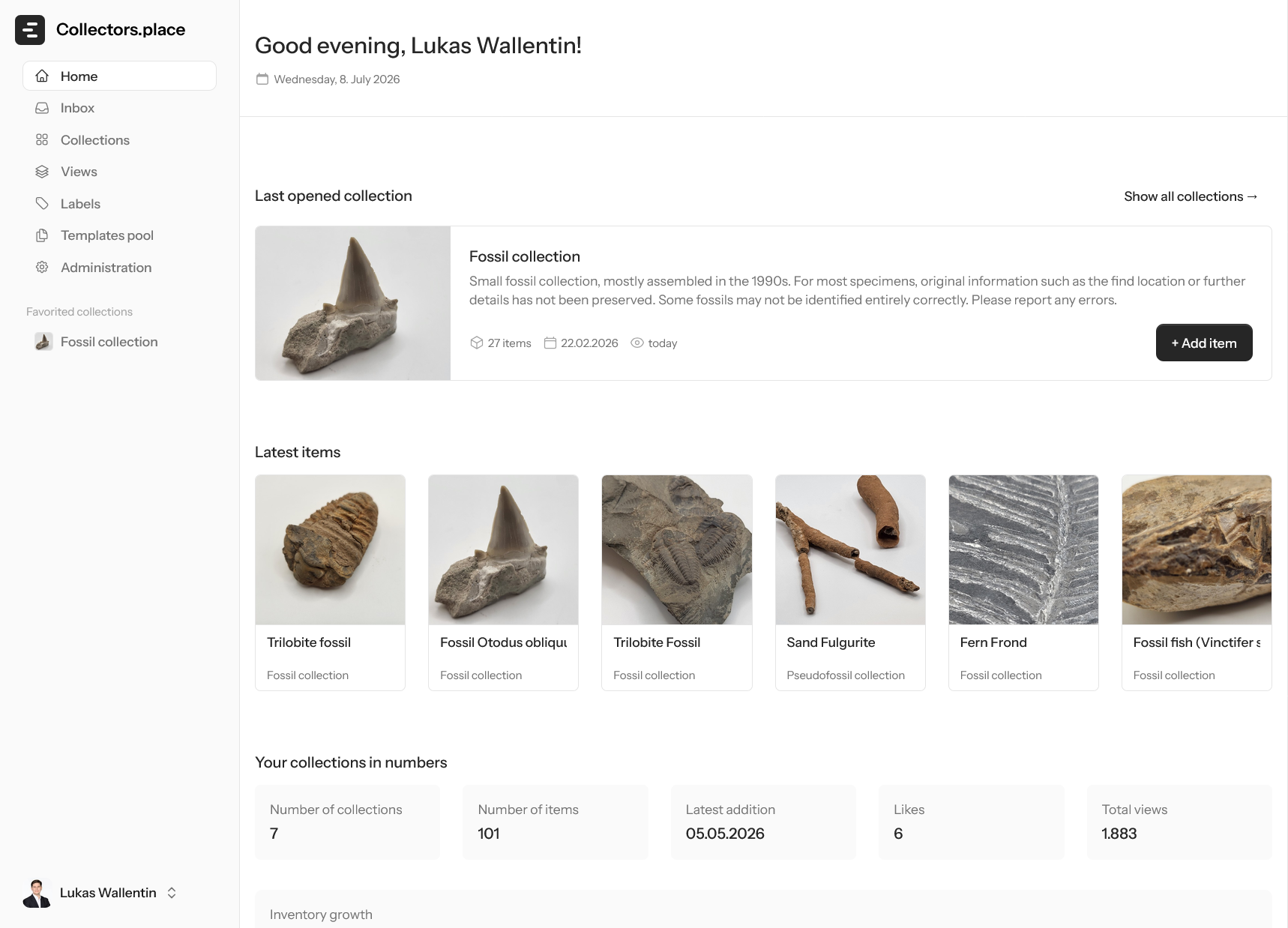
After signing in, you land on your personal dashboard. Collectors.place gives you a quick overview of your collections, recently edited items, and the most important statistics. The Saashome image above shows exactly this starting point inside the app.
Dashboard
The dashboard shows:
- Greeting that matches the time of day
- Statistics for collections, items, public links, likes, and views
- Growth chart of item count over recent weeks
- Category distribution across your collection
- Recently edited items as a quick entry point
- Quick access to recently opened collections
Top-right navigation contains links to the inbox and your profile. If you do not have a collection yet, the onboarding flow takes you to the next sensible step.
The real benefit is that you can start working on your first collection right away without digging through menus. Collectors.place guides you step by step instead of overwhelming you with too many choices at once.
Creating your first collection
The next step is creating your own collection. Open Collections in the sidebar. There you can create your first collection with New Collection, give it a name, and choose the right language. A short description or a cover image can be added immediately or filled in later.
Adding your first item
Once the collection exists, you can add your first item. Open the collection, switch to the item list, and click New Item. Choose a suitable template such as Book, Painting, or Coin, then give the item a clear title. You can add images, notes, and other details afterwards at your own pace.
A solid first workflow
If you only remember three things at the start, remember these:
- Understand the dashboard first
- Create your first collection next
- Add your first item afterwards
That gets you into the actual workflow without unnecessary detours. Everything else can be added step by step once you are comfortable with the interface.