Manage Item Notes
Notes are the place for personal work ideas, open to-dos, and short documentation hints directly on the item. That keeps everything where you need it later.
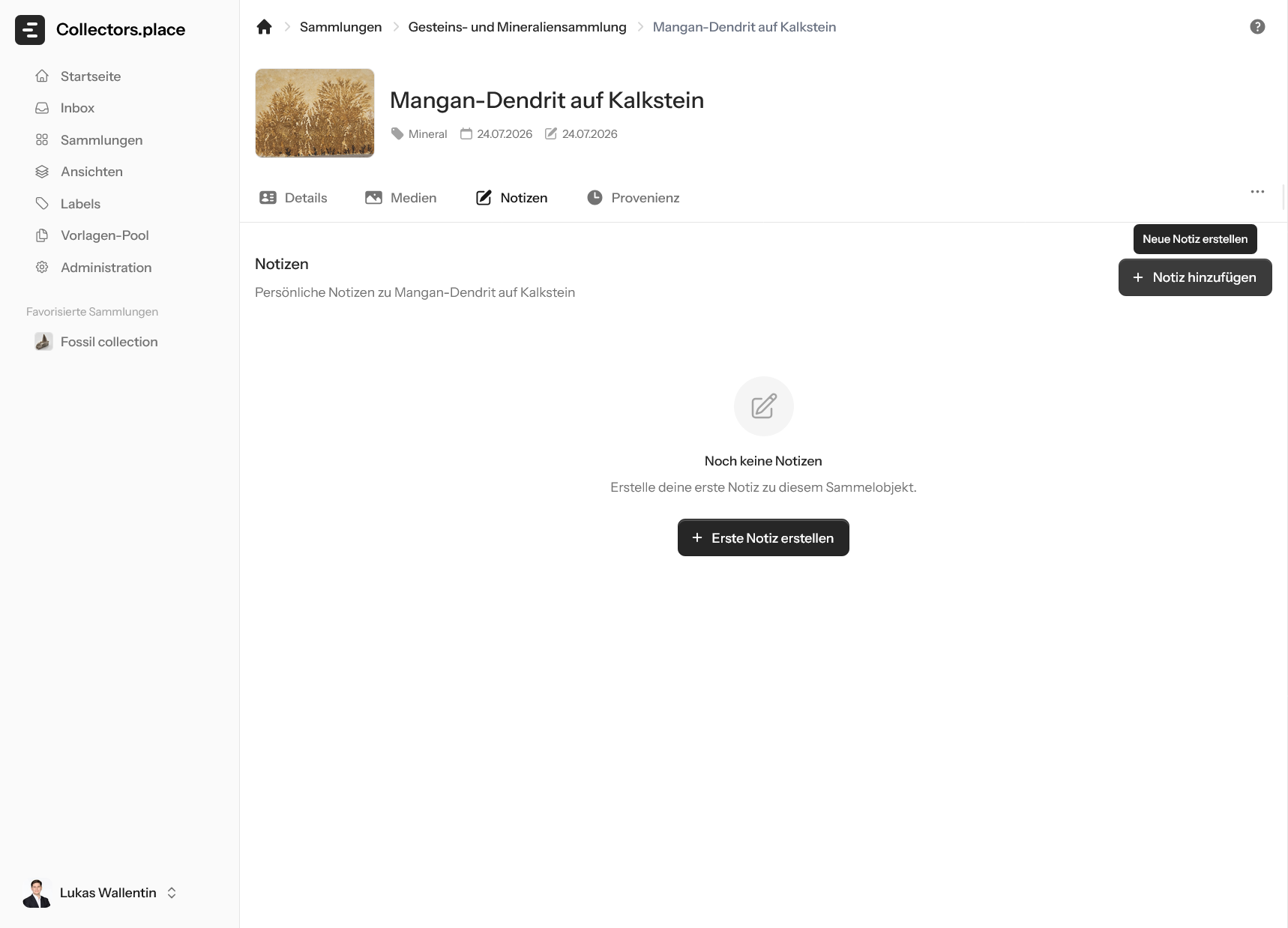
The first image shows the empty notes page. When no notes exist yet, you see the empty state and the button to create the first note.
Create the first note
Use Add note or Create first note to open the input dialog.
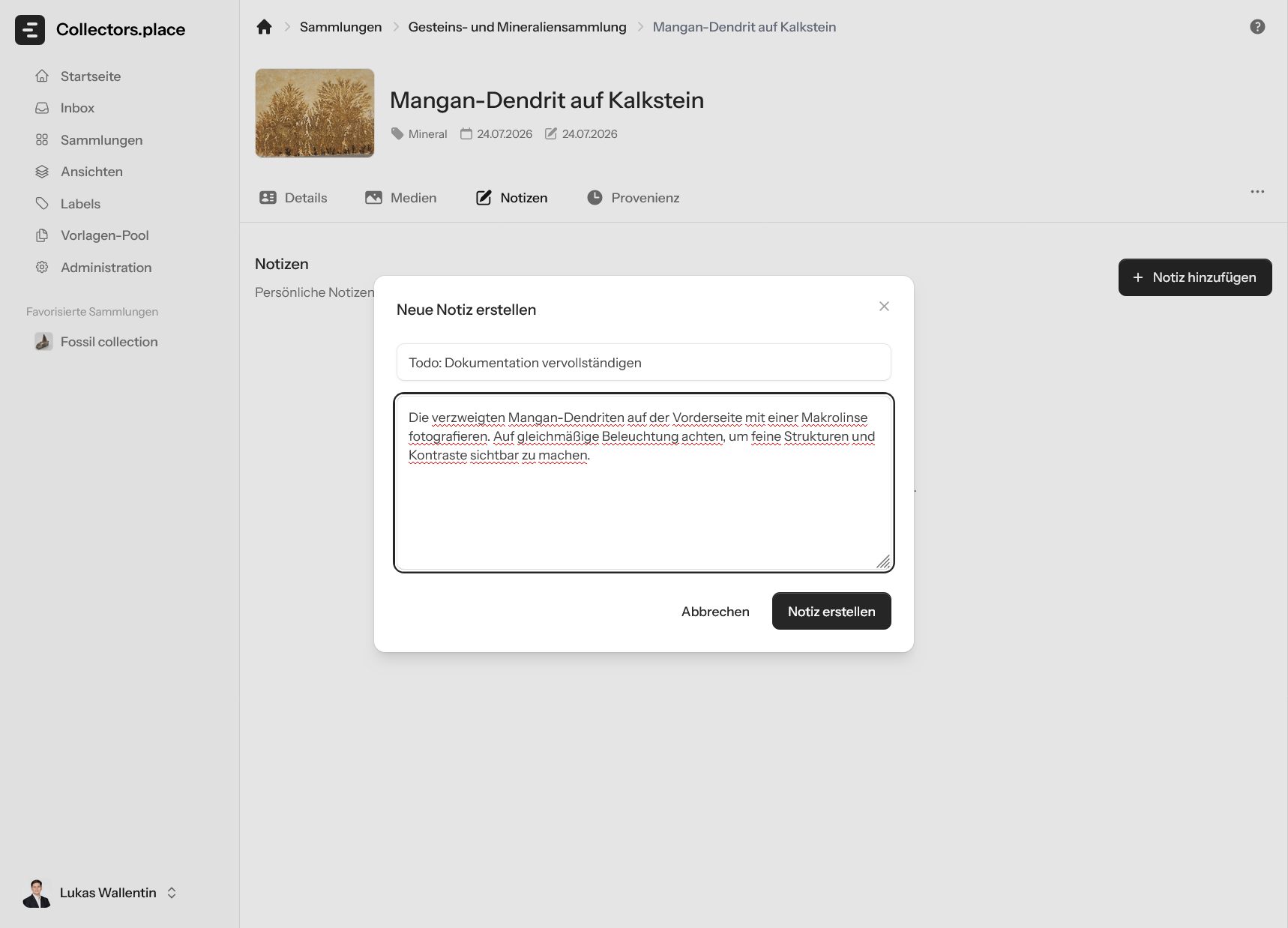
In the dialog, enter a title first and then write the actual note text. This works well for to-dos, observations, or hints for later work.
Note saved
After saving, the note appears directly in the list.
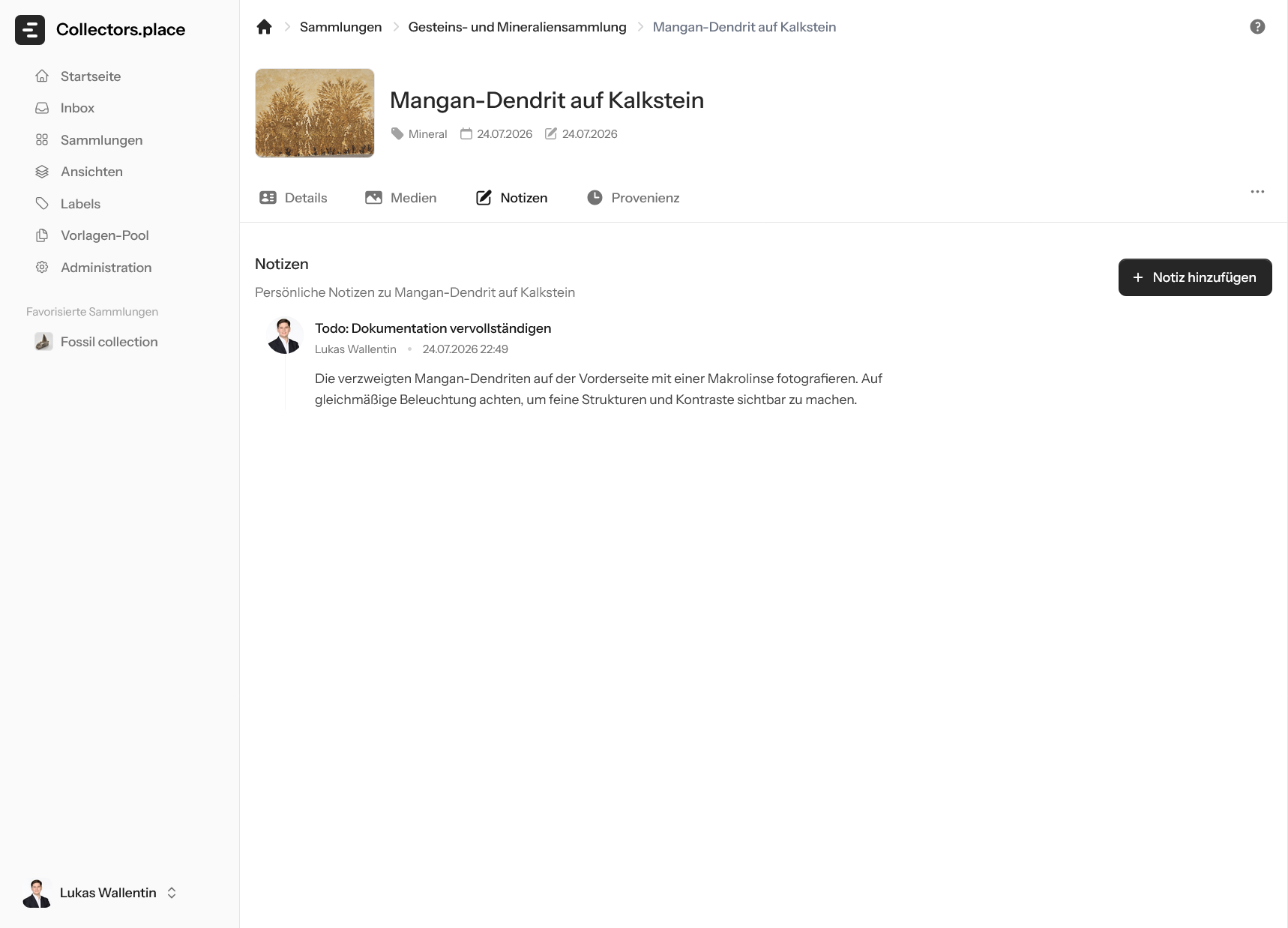
The example shows how a title, author, and note text are displayed together. That makes it easy to keep every work step attached to the item.
How to use notes well
Use notes for things you do not want to store in the actual item fields:
- open work steps
- short research hints
- observations from image analysis
- reminders for later additions
Notes stay attached to the item and are easy to find again later.